
Actions Track.
Tempo changes, jumps, loops, metronome and time signature, written as clip names where they happen on the timeline.
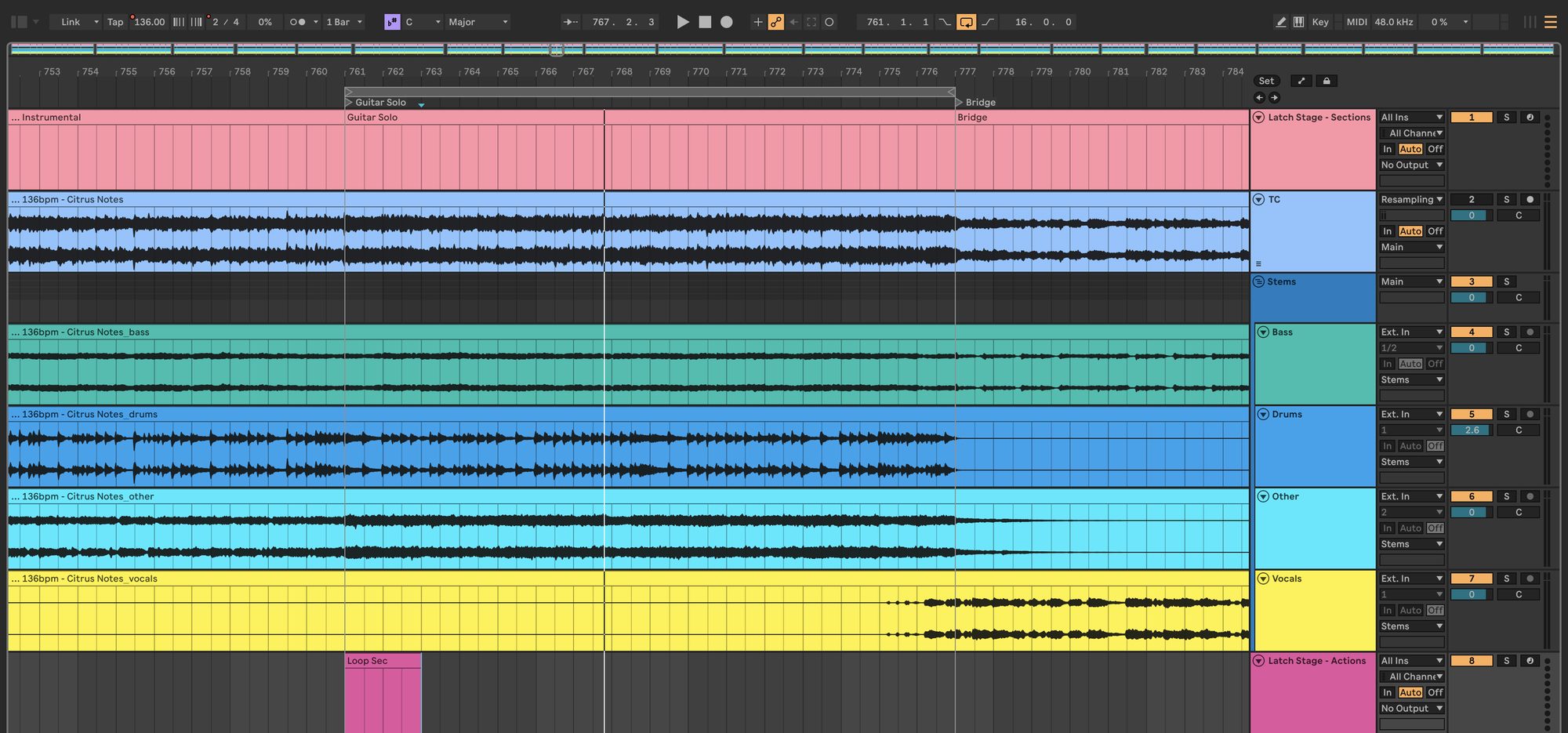
An Actions track is an ordinary Live track whose clip names are read as commands. It is how the Set drives itself: tempo changes, jumps, loops, metronome and time signature, written where they happen on the timeline. The clips are never heard; only their names are read.
Name the track Latch Stage - Actions. The suffixed names (Arrangement) and (Session) limit a track to one side, and any number of Actions tracks can coexist.
Key features#
- Tempo.
BPM 128sets the tempo;RAMP 140ramps to it in a straight line across the clip’s length.
- Jumps.
LOC "Chorus"jumps to a locator by name,LOC +2jumps forward two, andNEXT SONGadvances to the next unmuted song.
- Loops.
LOOP 4loops four bars, snapped to the grid;LOOP SECloops the whole section the clip is in, wherever the clip sits.
- Metronome, time signature, scenes, stop.
METRO ON,SIG 6 8,SCENE "Outro",STOP.
- Combining commands.
;runs commands together,>>in sequence, andWAIT 2inserts a musical pause:METRO ON >> WAIT 4 >> METRO OFF.
- Follows the route. A
LOCis checked against the Virtual Route, so a Set full of jumps keeps working after a song is reshaped in Sections View.
On stage role#
In the Arrangement, timing is anchored to the clip, so the same clip always behaves the same way, whatever route led the playhead to it. In Session, a clip fired while stopped runs immediately, so a scene arrives at the right tempo.
Editions & requirements#
- Editions: Standard · Suite (on Solo the Actions track is disabled)
- Requirements: Ableton Live 11 or 12 on macOS or Windows.