
Sections View.
Skip a verse, repeat a chorus, loop a section or reorder the setlist during the show, without editing the Ableton Set.
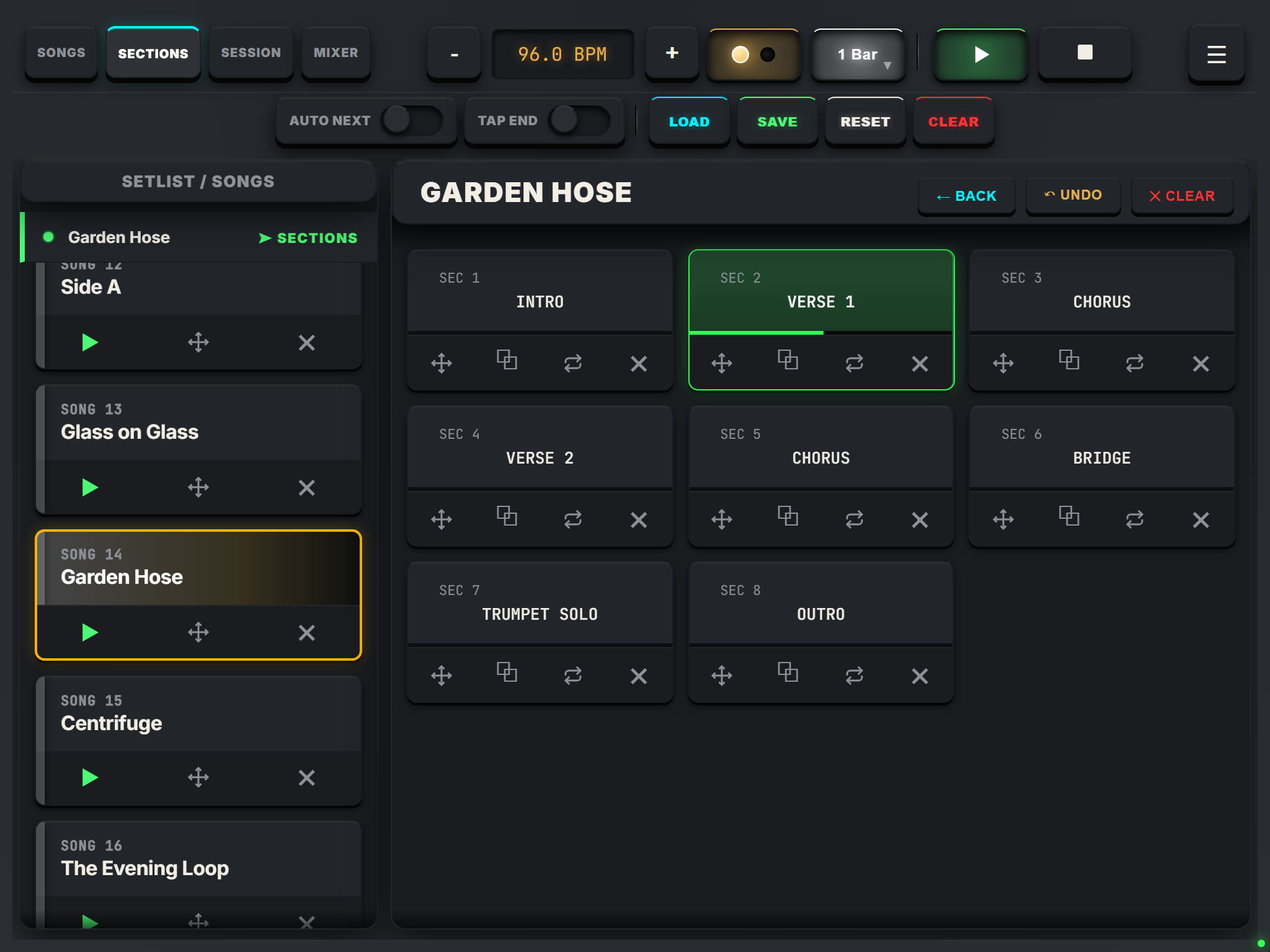
Sections View changes the shape of a song while you rehearse or play: skip a verse, repeat a chorus, loop a section, reorder the setlist. You never edit the Ableton Set.
The Set on disk is never modified.
The Remote Script inside Live follows the playhead and makes each jump on the bar line.
Key features#
- Reorder and clone. Drag blocks to reorder sections, or clone one to repeat a chorus. Copies share a family colour.
- Loop and mute. Loop a block to stretch a solo, or mute it to skip the section. The locators on the timeline stay as they are.
- In Session View too. With
#scenes, mute, clone, reorder, loop and TAP END work on scenes, and your edits take precedence over Live’s Follow Actions.
- TAP END. Arm the next section or song while playing (it turns cyan). The current section finishes and the jump lands on the downbeat.
- AUTO NEXT. At the end of a song, playback moves on to the next unmuted song by itself.
- Undo. Steps back through the last 40 route edits, across songs.
- Presets. Save the whole show state (routes, setlist order, muted songs) under a name such as
Festival SetorAcoustic 45m. Presets are stored next to the.alsfile.
On stage role#
For the musical director: change a song’s shape in rehearsal or on stage, from a tablet, without touching Ableton Live.
Editions & requirements#
- Editions: Standard · Suite
- Requirements: Ableton Live 11 or 12 running on macOS or Windows; any tablet, phone, or laptop browser connected over the local network.