
Smart Locators.
Put your clips on the Sections track and Smart Locators turns each one into the locators it implies.
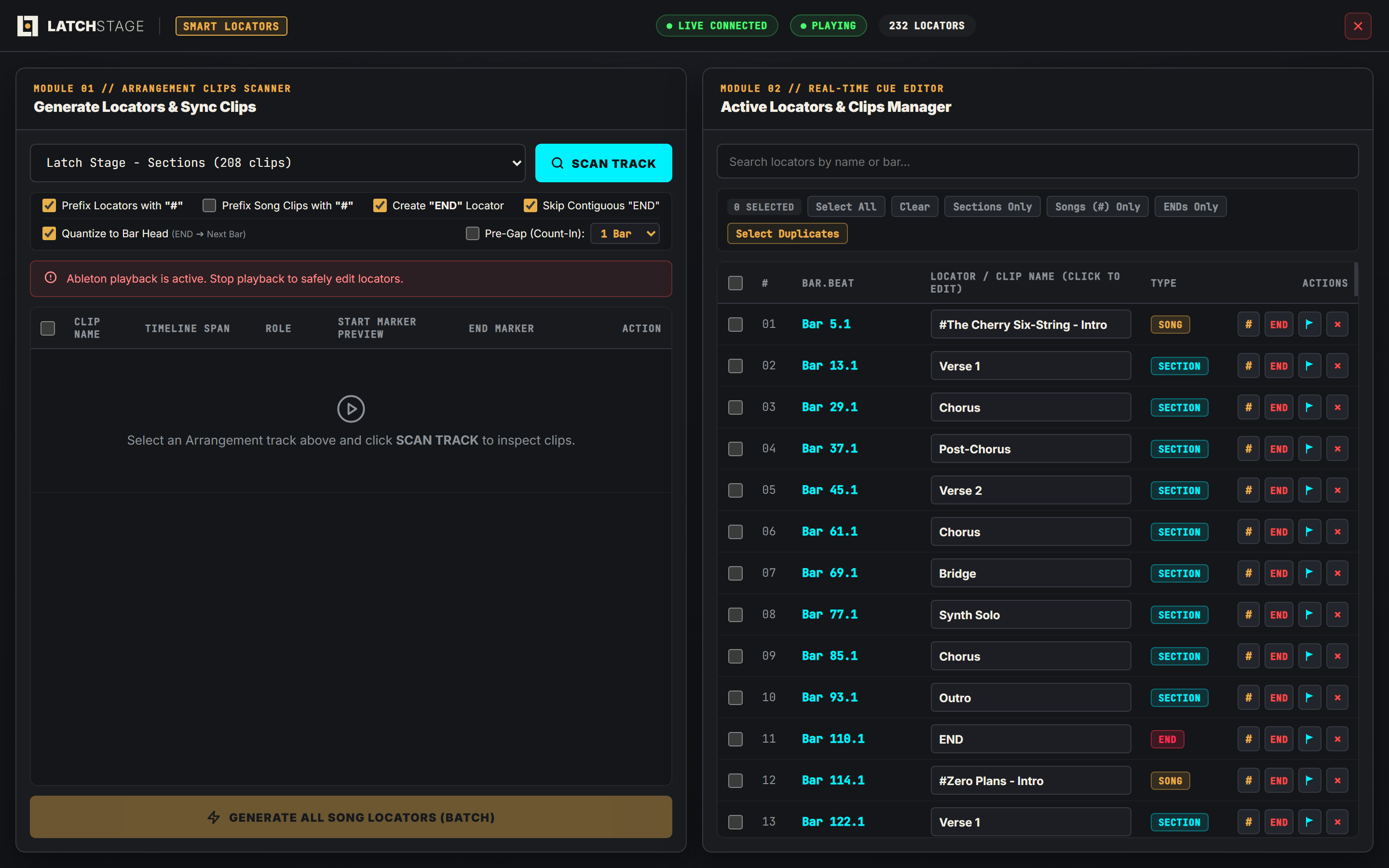
Naming locators by hand works, until somewhere around the fortieth one. Smart Locators builds them from the clips you already have.
Put your clips on a track named Latch Stage - Sections and each clip becomes the locators it implies: a # locator at its start and an END at its finish.
Open it from the tray menu, from the application’s own screen, or at /locators in a browser.
Key features#
- SCAN TRACK only reads. Lists the clips with their start, end and length. Nothing is written to the Set until you create, and no other track is ever read or renamed.
- Auto-Detect Gaps. A clip with empty space before it starts a new song; a clip that butts up against the previous one is a section of that song. Every choice can be overridden.
- Quantize to Bar Head. A clip dragged by hand rarely lands on the grid; locators are moved onto the downbeat, following the time signature in force at that point.
- Pre-Gap (Count-In). Places song locators 1 to 4 bars early, so launching one gives the band a count-in.
- Verified batch. Locators are written one at a time, each checked in Live before the next, with a progress bar and a running log.
- Never while Live is playing. Creating and deleting refuse while the transport runs, because writing locators moves the playhead.
On stage role#
In most Sets the arrangement already says where the songs are: one clip per song, or a run of clips per song. Smart Locators reads that, instead of you naming every locator by hand.
Editions & requirements#
- Editions: Solo · Standard · Suite
- Requirements: Ableton Live 11 or 12 on macOS or Windows. On screens other than the host, opening it asks for the access PIN.
- On Live 11: a script cannot name a locator, so locators keep Live’s numbers. Set Setlist Source Mode to Arrangement Clips, where the names belong to the clips. Live 12 has no such limit.