
TP Builder.
The lyric editor, with the Set's locators in view. That is what makes the sections line up.
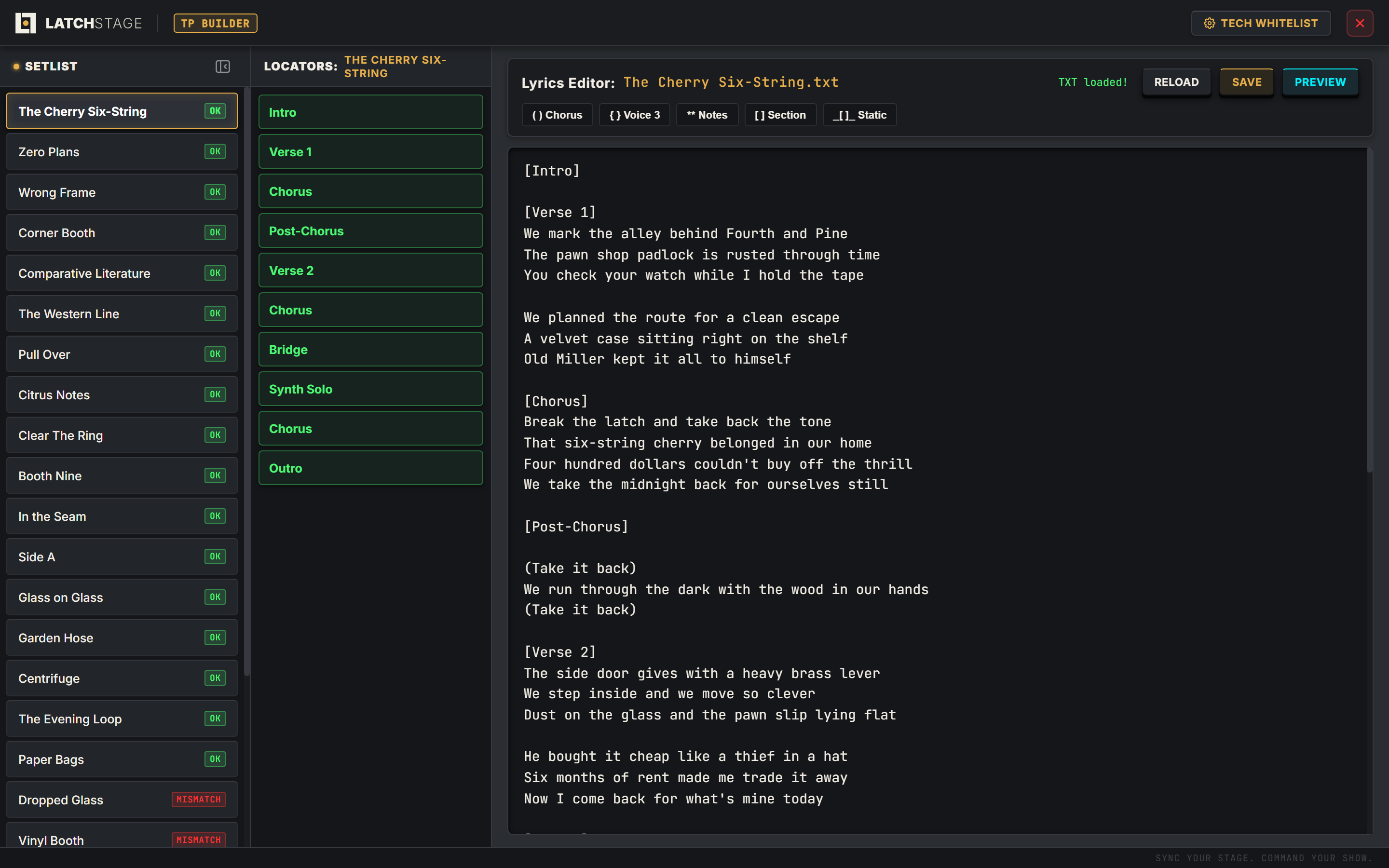
The lyric editor, at /tp-builder. It writes the same .txt lyric files the Stage Teleprompter reads, but with the locators of the Live Set in view. That is what makes the sections line up.
Every song of the show is listed with its status. Selecting one shows its locators, so you see exactly which section tags the file should contain.
Key features#
- Status per song. OK when the lyric file’s sections match the locators, NO TXT when no file was found, MISMATCH when the section tags do not line up.
- Marker buttons. Five buttons insert the markers at the cursor: backing vocal, third voice, notes, section and static section. The format need not be memorised.
- PREVIEW. Shows the result as the Teleprompter will render it, in the Teleprompter’s own colours and sizes.
- Safe during a show. Saving reloads the lyrics on the Teleprompter automatically, but only when the song being edited is the one on screen, so an edit cannot disturb the song being played.
- Technical locator whitelist. Locators such as Count, Click or Next Song mark technical events, not sung sections, so they never make a song MISMATCH. Edited from TECH WHITELIST.
On stage role#
Before the show, every song can be brought to OK: a lyric file whose sections match the locators of the Set.
Editions & requirements#
- Editions: Suite
- Requirements: Ableton Live 11 or 12 on macOS or Windows; any modern browser on the same local network as the host. A Lyrics Folder must be set before saving.