
Mixer ViewSuite
A mixing console for the Live Set, on the tablet.
14.1 The channel strip#
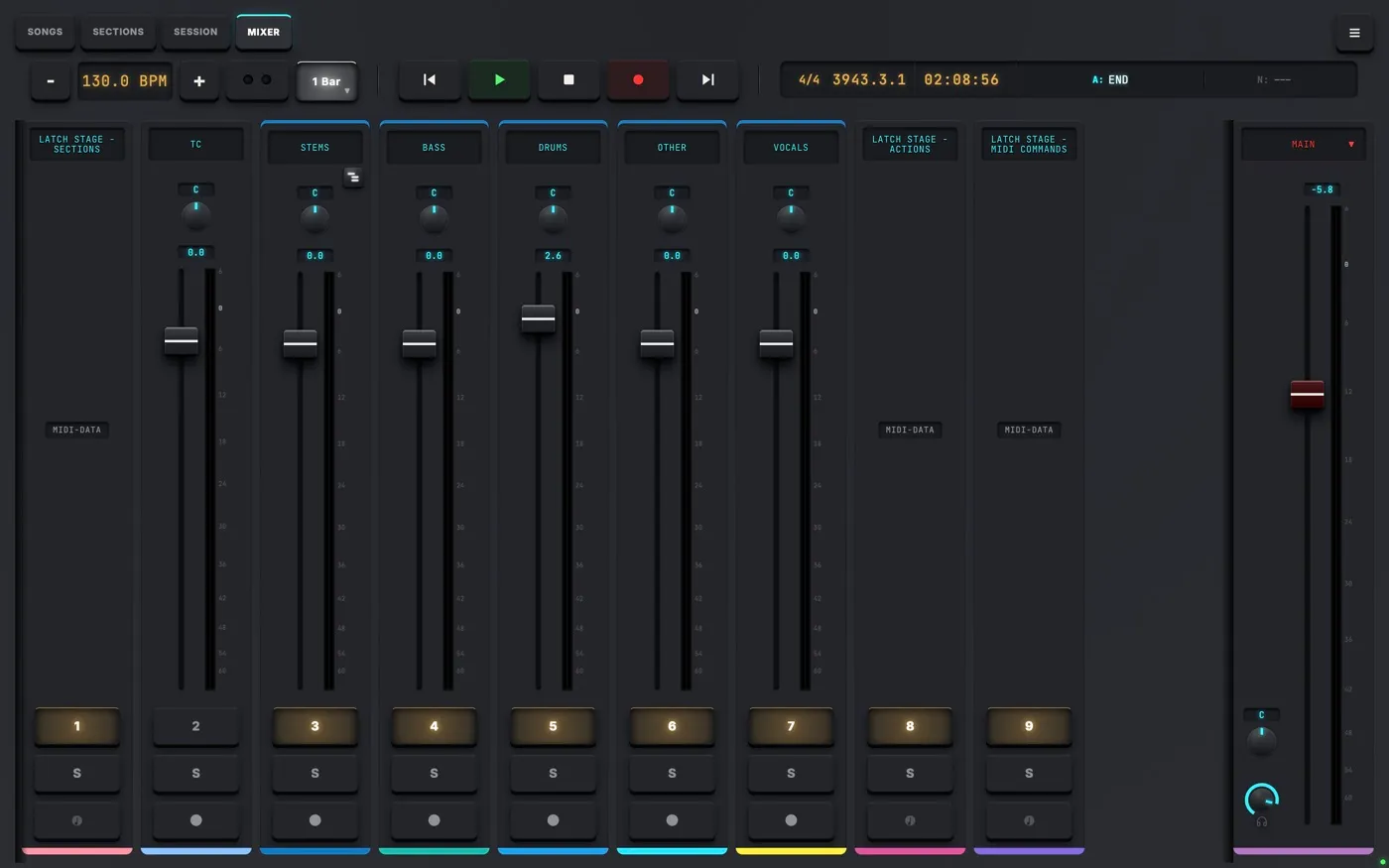
STEMS group open above its children, and the Actions and MIDI Commands tracks at the right of the console.Each track in Live appears as a channel with its name and colour from the Set:
| Element | Behaviour |
|---|---|
| Fader | Track volume, sent to Live and mirrored on every other screen |
| Pan knob | Track panning, turned by dragging |
| VU meter | The track’s live level, colour-coded by decibel |
| Mute (numbered) | Mutes the track. A track muted indirectly, because another track is soloed, is shown in a distinct state, so a deliberate mute is never confused with a consequence |
| S | Solo |
| Arm | Record arm; the icon differs for MIDI and audio tracks |
| Fold | On group tracks only: collapses the group and hides its child channels. Child channels carry their parent’s colour, so the grouping stays readable when open |
14.2 The master strip#
At the right: master fader, master pan, the cue knob (headphone level) and the bus selector described below.
14.3 The bus selector — mixing sends#
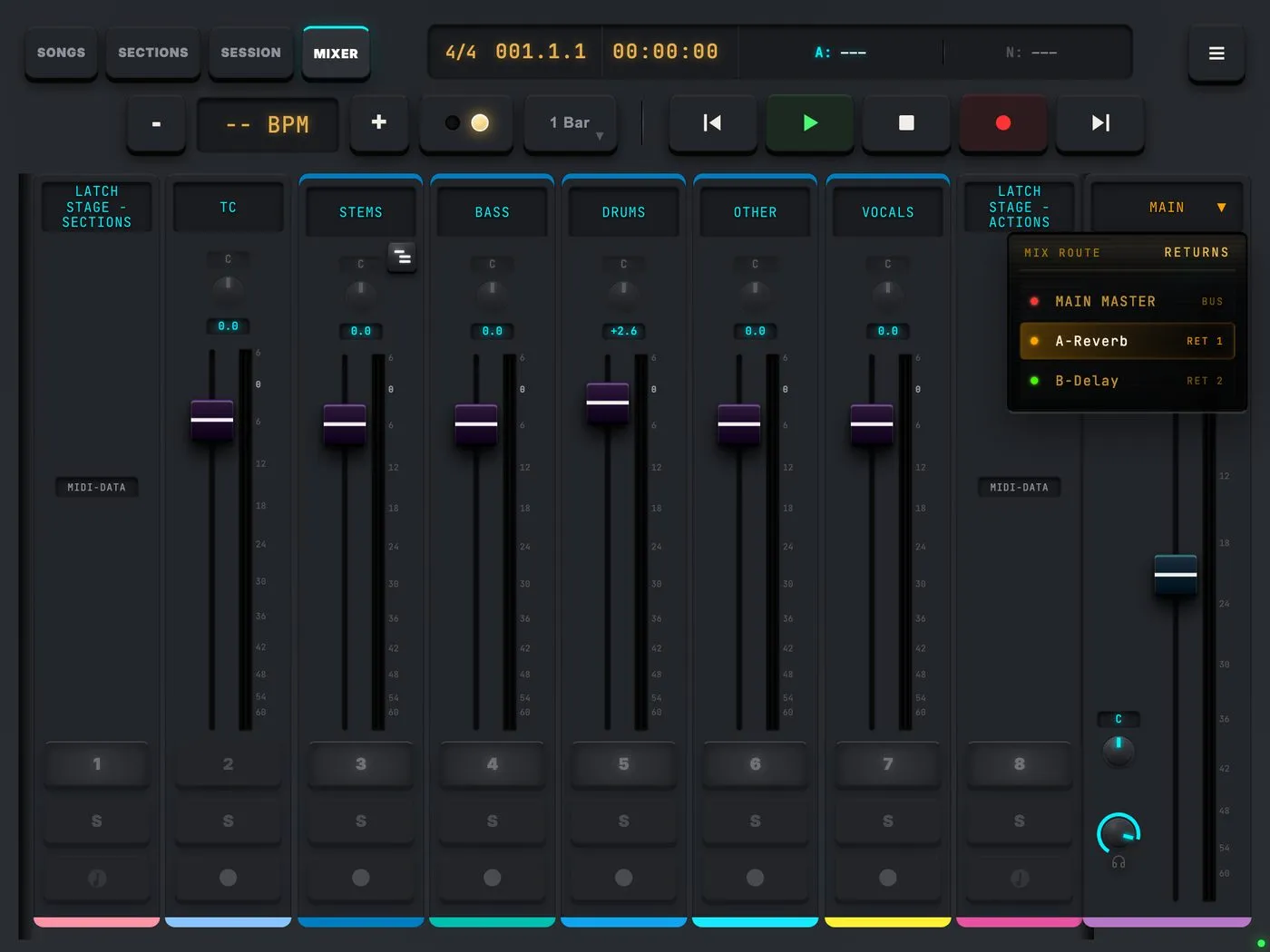
The ▼ button on the master strip switches what the whole console is mixing:
- MAIN MASTER. The default. Faders are track volumes.
- A return track. Every channel fader becomes that track’s send level to the chosen return, the master fader becomes the return’s own level, and track pans are locked.
This is how a monitor mix or a reverb send is balanced from the stage without leaving the same screen. The selected bus is indicated on the strip, and each return is listed by its name in the Set.
14.4 The mixer header#
Above the channels: time signature, bar position (001.1.1) and SMPTE time; A: and
N: naming the locator playing now and the one coming next; transport with previous
scene, play, stop, record, next scene; and BPM, metronome and quantisation as in the master
header.
The Mixer’s previous and next count presses. They are built for a hand on a fader and the other finding the button without looking:
| Button | One press | Two presses within 0.85 s |
|---|---|---|
| Previous | Back to the start of the current locator — or, in its first two and a half beats, straight to the one before, since a restart there would change nothing | The locator before |
| Next | The next locator | Two locators ahead, counted from the first press |
A: and N: follow the song that is playing and its route: with sections muted in the Sections View, neither display names a muted one.
14.5 On tablets#
The channel layout is recalculated for the screen in use so channels always fit without horizontal scrolling. Faders and knobs are sized for fingers.