
SettingsSoloStandardSuite
Settings opens as a full page from the sidebar’s SETTINGS button, or at /settings in a
browser. The tray’s Open Settings item (and, on Windows, the Start-menu Settings
shortcut) opens a native Settings window instead, with the main settings and a
LICENSE button (§6.1). Cards for modules the edition does not include are hidden.
There is no SAVE button, and that is deliberate. Every change is written the moment you make it. Switches, dropdowns and colour pickers save immediately; text fields and sliders wait for a short pause in typing or dragging (about a third of a second), so a value is stored once you settle on it, not on every keystroke. Close the page whenever you like; there is nothing left unsaved.
Only the host machine and devices that have entered the PIN can write settings. Any other device is sent to the PIN screen before the Settings page opens.
At the foot of the page a link opens third-party notices: the full licence texts of every
open-source component shipped with Latch Stage, also reachable at /notices.
7.1 Core Engine & Connectivity#
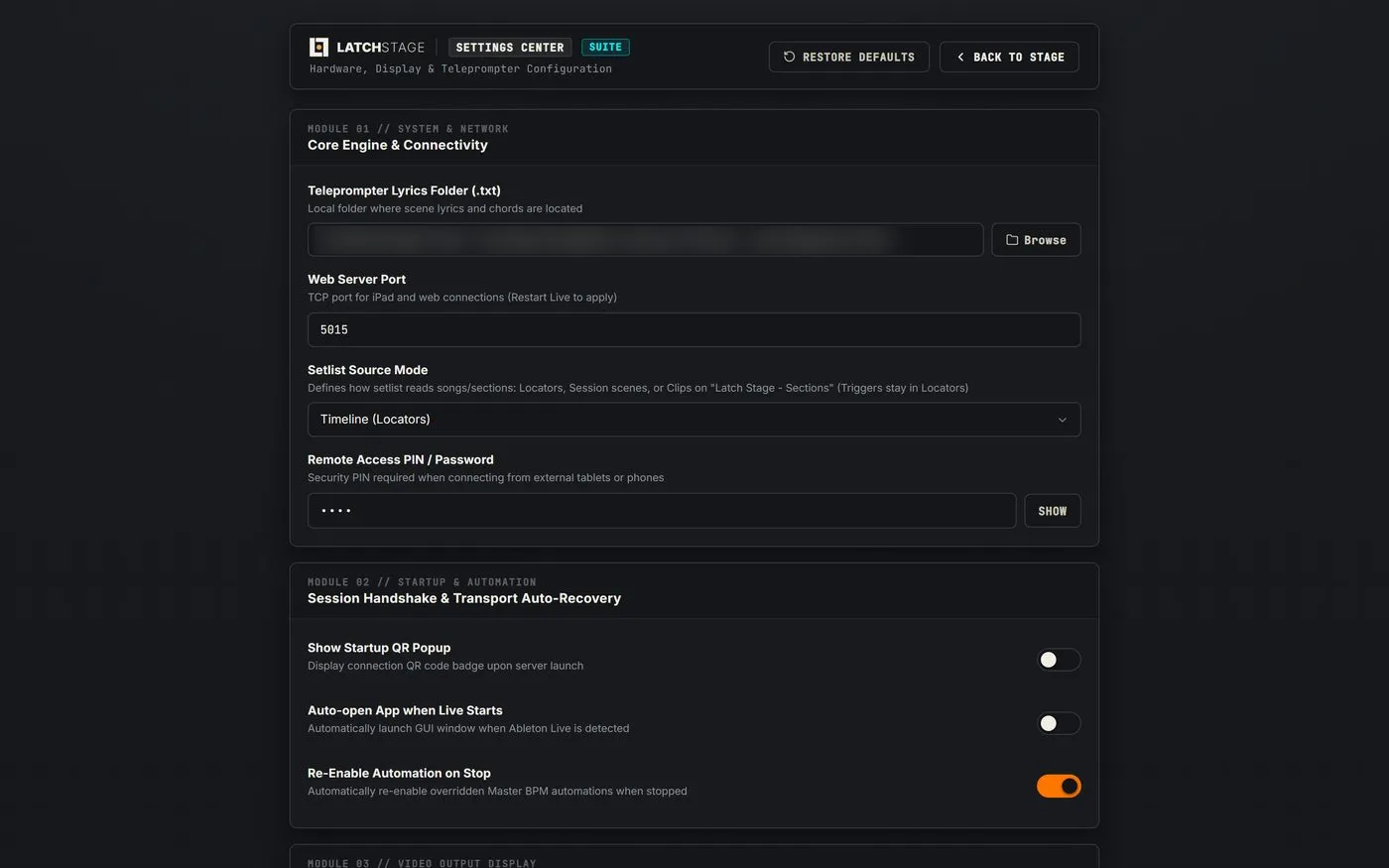
The card’s small heading reads MODULE 01 // SYSTEM & NETWORK; the native Settings window calls the same card System & Network.
| Setting | Meaning |
|---|---|
Teleprompter Lyrics Folder (.txt) [Standard · Suite] | Folder holding the lyric .txt files |
| Web Server Port | The port the application answers on. Default 5015. A new port takes effect only after you quit Ableton Live and open it again (§7.4), and it changes every address and QR code |
| Setlist Source Mode | Timeline (Locators), Session View (Scenes) or Arrangement Clips (Latch Stage - Sections) — see Chapter 8 |
| Remote Access PIN / Password | The PIN external devices must enter. Default 1429 |
7.2 Session Handshake & Transport Auto-Recovery#
The native Settings window calls this card Startup & Automation.
| Setting | Meaning |
|---|---|
| Show Startup QR Popup | On by default. Opens the QR window automatically when the server starts |
| Auto-open App when Live Starts | Off by default. Opens the Latch Stage app window (the native window, not a browser) when the server starts with Live |
| Re-Enable Automation on Stop | On by default. When the transport stops — and on Stop All Clips — Live’s automation overrides are released automatically, so the next song starts with the Set’s automation in control instead of whatever a fader was left holding |
7.3 Teleprompter cardsStandardSuite#
Described in Chapter 13.
7.4 Applying a new port#
Settings has no control to restart the server. A new Web Server Port takes effect the next time the server starts: quit Ableton Live, which stops the server (§1.4), and open it again. The port is part of every address and QR code, so open each screen again at its new address.